
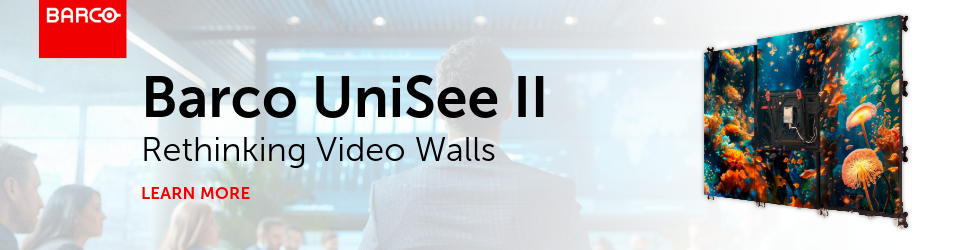
I’m going to be frank: for 99% of video wall applications, I personally lean LCD. Not because LED isn’t impressive, but because LCD usually makes more sense once you zoom out and look at the whole install. Cost, power, heat, serviceability, and longevity all matter, and most video walls spend their lives showing dashboards, presentations, cameras, and signage.
This is where Barco UniSee II fits perfectly into the conversation. It’s a product that made me rethink how I see display tech. Barco UniSee II isn’t just a bunch of displays tiled together; it’s designed to behave like a single canvas, and it’s clearly built for environments where image quality and uptime matter. Places like control rooms, corporate spaces, broadcast environments, and high-visibility signage.
The LCD Problem Nobody Talks About
A big reason LCD gets dismissed so quickly is perception. A lot of people still picture old-school LCD walls: thick bezels, uneven alignment, color mismatches, and the dreaded grid effect. So, when a project calls for a “video wall,” the conversation immediately jumps to LED. And honestly, that’s understandable; LED has become the default answer.
The problem is that LED also comes with tradeoffs that don’t always show up in the initial discussion. Cost is the obvious one, but the total cost of ownership is the real kicker. Service, calibration, replacement modules, and long-term maintenance all add up. And then there’s heat, which is almost always underestimated. You don’t really get it until after the wall is installed, and the room starts running hotter than expected. Barco UniSee II addresses those issues head-on by delivering a premium-looking wall without all the LED baggage.
Why Barco UniSee II Actually Looks Different
This isn’t just Barco slapping a new name on an LCD tile. The biggest leap with Barco UniSee II is the move to Direct Mini LED backlighting, and that’s what fundamentally changes the conversation. Traditional LCD tiles use relatively few LEDs behind the panel. Barco UniSee II uses thousands, which allows for extremely fine local dimming.
In practical terms, that means better contrast, brighter highlights, and darker darks without the washed-out look people associate with older LCD walls. It supports HDR10 processing and pushes serious brightness, which matters in real spaces with ambient light, windows, and glare. This is one of the clearest examples I’ve seen of LCD truly closing the image-quality gap with direct-view LED, especially at closer viewing distances.

The Stuff That Actually Matters Day to Day
Beyond image quality, Barco UniSee II is clearly designed for how video walls are used, not just how they look on day one. It’s built for 24/7 operation, it’s fanless (which is huge in control rooms and quiet corporate environments), and it focuses heavily on long-term uniformity. Barco’s Sense X calibration keeps brightness and color consistent over time, so the wall doesn’t slowly drift into that looks unpleasant.
Then there’s serviceability. Most things need service eventually. Barco UniSee II is modular, easy to maintain, and designed with the assumption that the wall will be running for years, not months. That’s where lower energy use, low noise, and lower overall TCO start to matter more than raw specs on a datasheet.
About Those Seams…
Yes, it’s still a tiled LCD wall, so seams will be there. But here’s the honest take: seams are often a bigger deal in theory than in practice. Viewing distance, content, and lighting all play a huge role, and in many corporate signage and control room environments, your eyes stop noticing them quickly.
What matters more than seam size is consistency. A uniform seam disappears into the image way faster than one that wanders, shifts, or looks crooked. And that’s where Barco UniSee II earns its reputation: it’s built to keep the wall looking like one canvas instead of a bunch of tiles that slowly start doing their own thing.

Mounting is Critical
Seams also lead to a bigger question that gets left for later far too often: how are we mounting this wall? Because mounting isn’t just “how it sticks to the wall.” It determines whether your seams stay consistent over time, whether the wall stays aligned, and how painful service becomes when something eventually needs attention.
Barco’s big move here is that they treat the mount as part of the system, not an accessory. The Barco UniSee mounting structure is designed to self-align, so you install the mount first, let it do the precision work, and then hang the displays. This means you’re not spending your life micro-adjusting tiles to make the seams look right.
And since Barco UniSee is glass-to-glass, stability matters. If you use independent mounts that can shift over time, you’re not just risking an ugly seam, you’re risking tiles drifting into each other. The point of Barco UniSee’s mounting approach is to keep spacing and alignment stable, so the wall stays clean, uniform, and serviceable for the future.
Where Barco UniSee II Makes the Most Sense
If you’re deciding between LED and “something else,” Barco UniSee II hits a really sweet spot. It shines in boardrooms, lobbies, control rooms, broadcast spaces, and signage applications where people are close to the wall and image quality matters, but so does budget, heat, and long-term reliability.
More than anything, I think Barco UniSee II solves a visibility problem for LCD itself. Not enough people realize this level of LCD wall is even possible. They think it’s either basic LCD or full LED, with nothing in between. Barco UniSee II lives right in that middle ground, delivering a genuinely high-end visual experience without forcing you into LED-level cost and complexity.
If you want to see Barco UniSee II in action and hear a more conversational breakdown of where it fits (and where it doesn’t), check out our video with the Barco team at InfoComm 2025.

